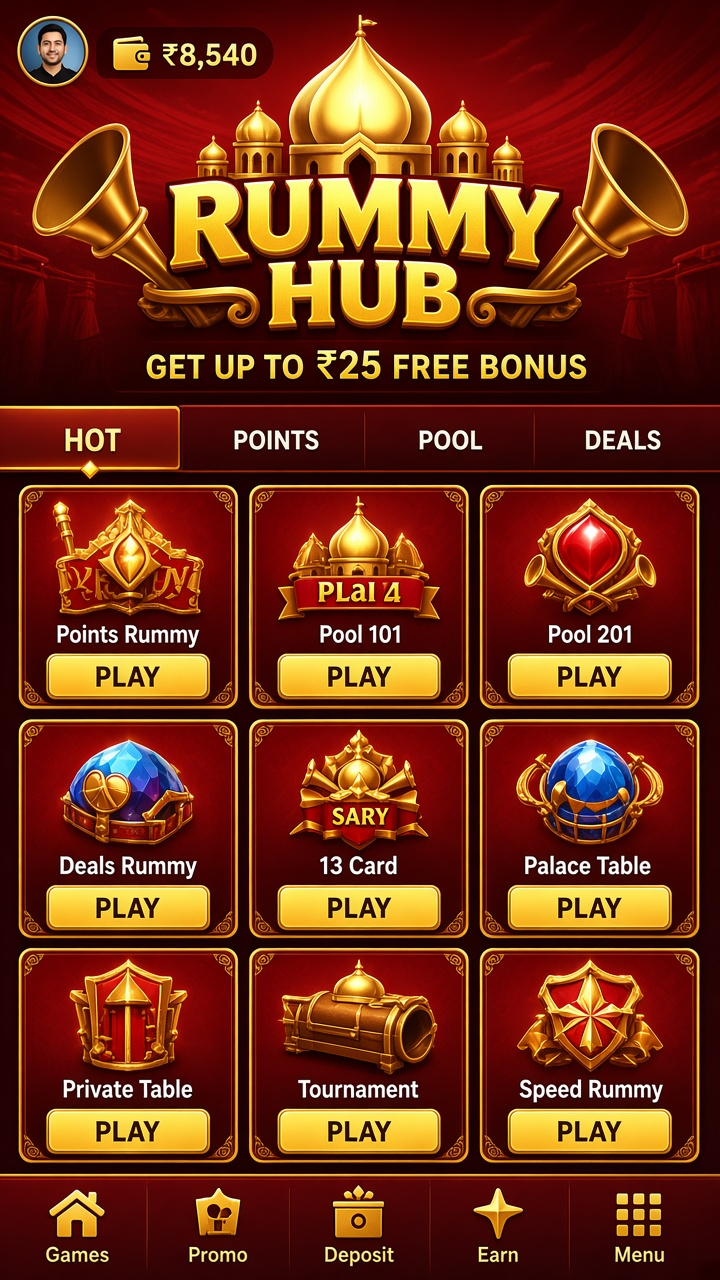

Introducing the app
Rummy Hub keeps its rummy content compact: pick a format, pick a stake, take a seat, and the deal begins without a long setup.
In practice that means the app is less about spectacle and more about the mechanics: what a round costs, how it settles, where the result is written down.
What play looks like
Each table lists its stake and format before entry. Points formats settle at the end of a deal on the deadwood left in each losing hand; pool formats knock players out as their totals climb. Confirm which one you have joined, because the right moment to declare differs between them.
Stakes and entry costs appear on the same card as the join button, which removes most of the guesswork from choosing.
In bullet form:
- Hand sorting by suit and rank at the deal
- Joker indicators shown for each hand
- Auto-grouping that can be corrected manually
- Discard-pile tracking with every throw visible
- Round history with the final hands of each deal
Your account
An account here is personal. One person, one set of accurate details, one login — and if anything changes, updating the profile is faster than explaining a mismatch during a withdrawal.
Installing and starting
Fetch the installer with the DOWNLOAD control and let Android finish the setup. At version 1.0.3 and roughly 74 MB, the app is a quick install; the first session can begin within minutes.
Setting your own limits
Two habits keep a session comfortable: a fixed spend limit decided in advance, and a pause between rounds to read the result rather than react to it. Neither costs anything; both change how the session feels.
Moving around the app
The main screen carries three things: the catalogue, the balance, and the account menu. Everything else — history, help, preferences — hangs off those.
At a glance:
- Favourites row for repeat formats
- Plain-language labels throughout
- Recently played list
- Account menu in one place
What the bonus is and is not
The welcome offer is a ₹25 bonus for qualifying new accounts. Its terms cover activation steps, eligible formats and any use-by date, and they are shown before you accept. Treat the credit as playing funds rather than cash: it is not withdrawable on arrival.
Deposits and payouts
You can request a withdrawal once your withdrawable balance reaches ₹250. The supported methods are UPI and IMPS. Check the destination account details carefully — a payout sent to wrong details is a problem no one wants — and expect processing to depend on the chosen method and standard account checks.